One AI Platform for Your Whole School
Teachers set AI-generated assignments and mark in a fraction of the time. Students practise with instant feedback. Leaders see progress across every class. Built for schools and tuition centres, with GCE O-Level, GCE A-Level and H1–H3 subjects ready to go.
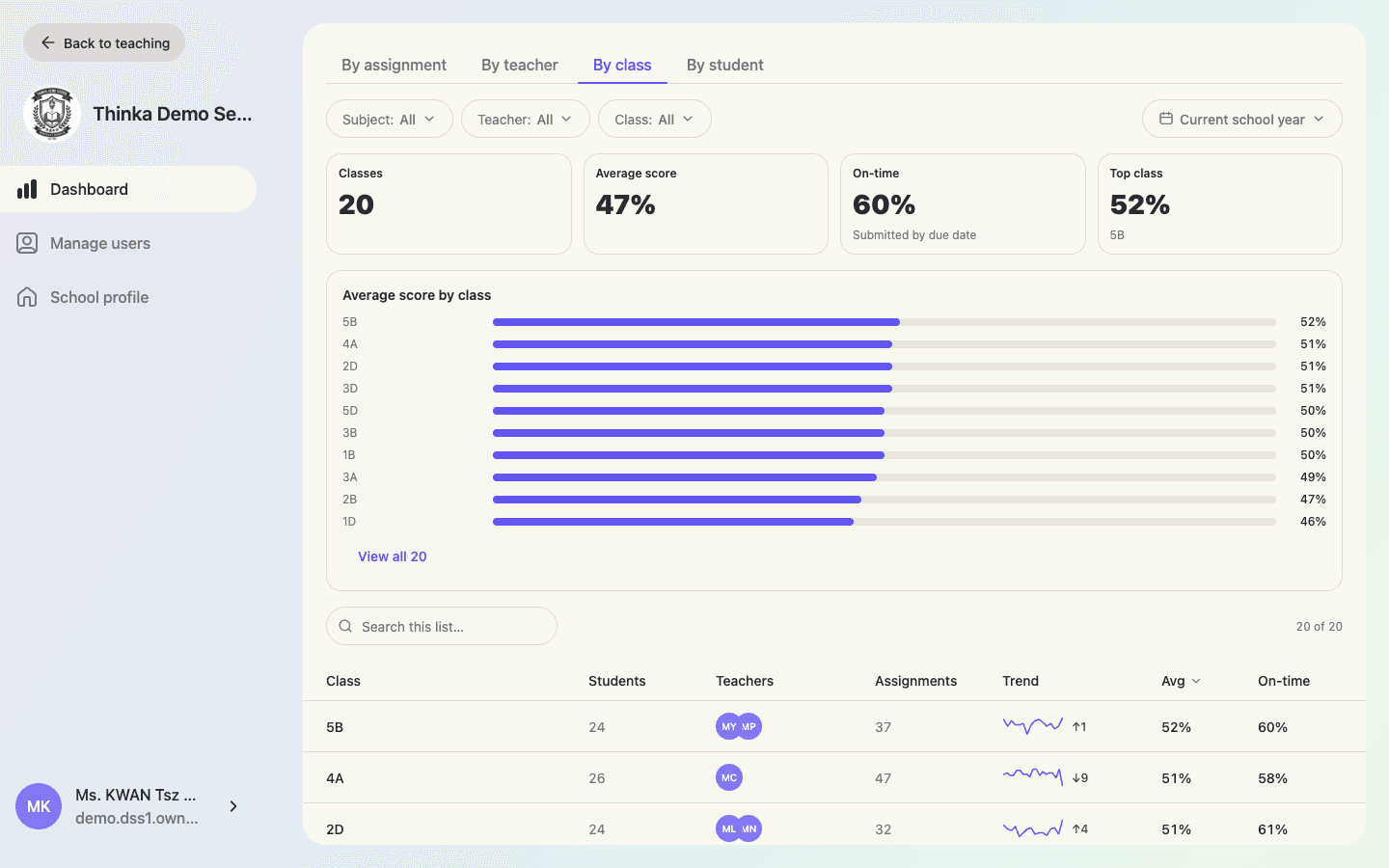
Everything a School Needs, in One Place
School leaders, teachers and students each get a space designed for their job, all connected to the same data.
For school leaders
See the whole school at a glance and keep every class on track.
- School-wide dashboard by assignment, teacher, class or student
- AI-written insight summaries on any report
- Manage teachers, students and classes in one console
- Set your school year and terms for one-click reporting periods
For teachers
Create in minutes, mark in seconds, and see who needs help before the next lesson.
- Generate assignments from your curriculum or your own materials
- Auto-marking with detailed feedback, even for handwritten work
- Class and student reports with trends and rankings
- Print any assignment as a worksheet with a marking copy
For students
Clear assignments, instant feedback, and practice that adapts to their mistakes.
- Instant grades and worked solutions after submitting
- Personalised practice built from recent mistakes
- Progress reports with per-subject grades
- Works in the browser or installed on their phone
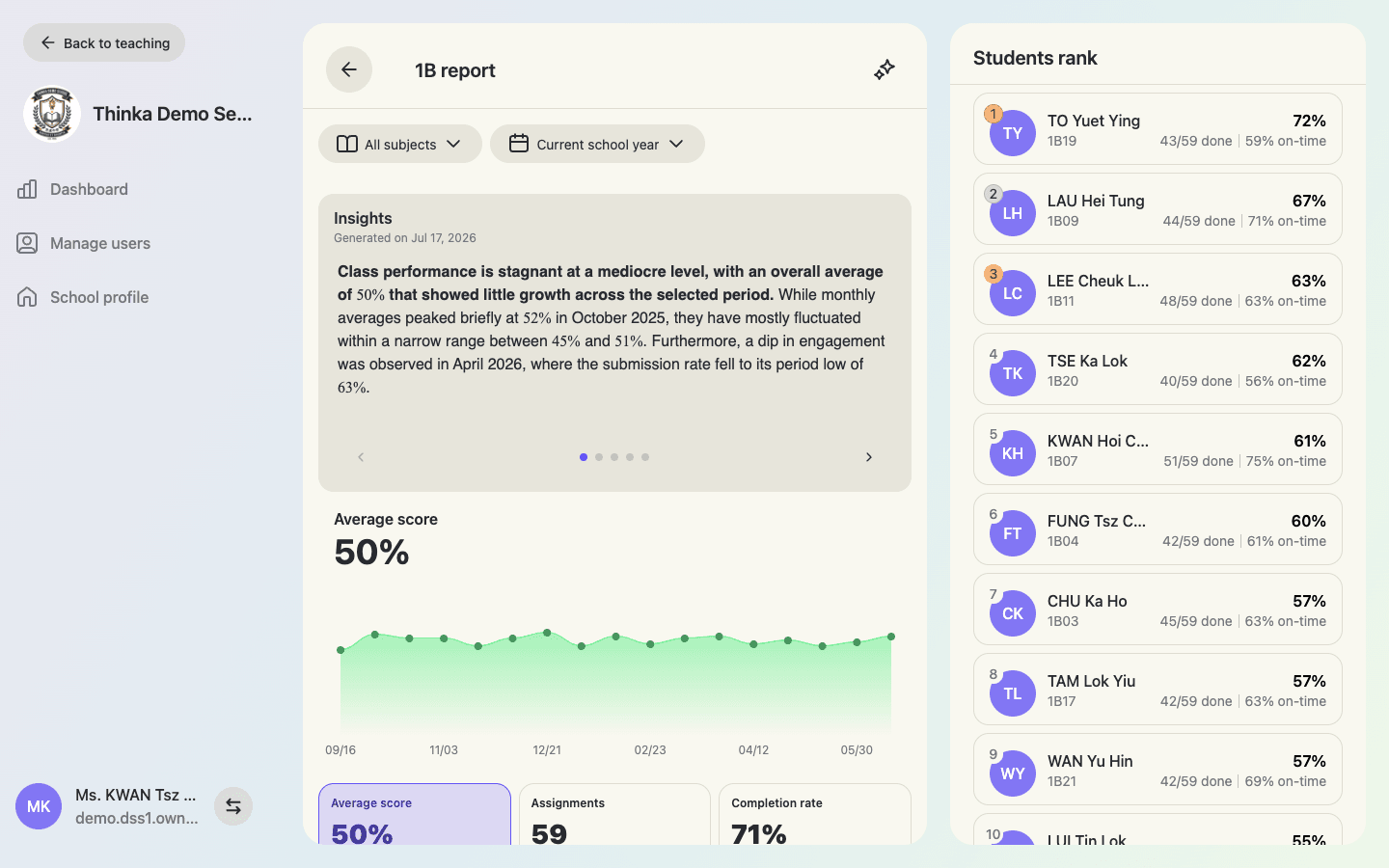
Know How Every Class Is Doing, Without Asking
The dashboard gathers every published assignment into one view. Filter by subject, teacher, class or time period, then let AI write the summary: what improved, where students struggle, and what to look at next.
- Four views: by assignment, by teacher, by class, by student
- Completion, punctuality, score trends and distributions
- AI-generated insights on any report, saved for later
- Drill down from a school trend to a single question
From Name Lists to a Working School in an Afternoon
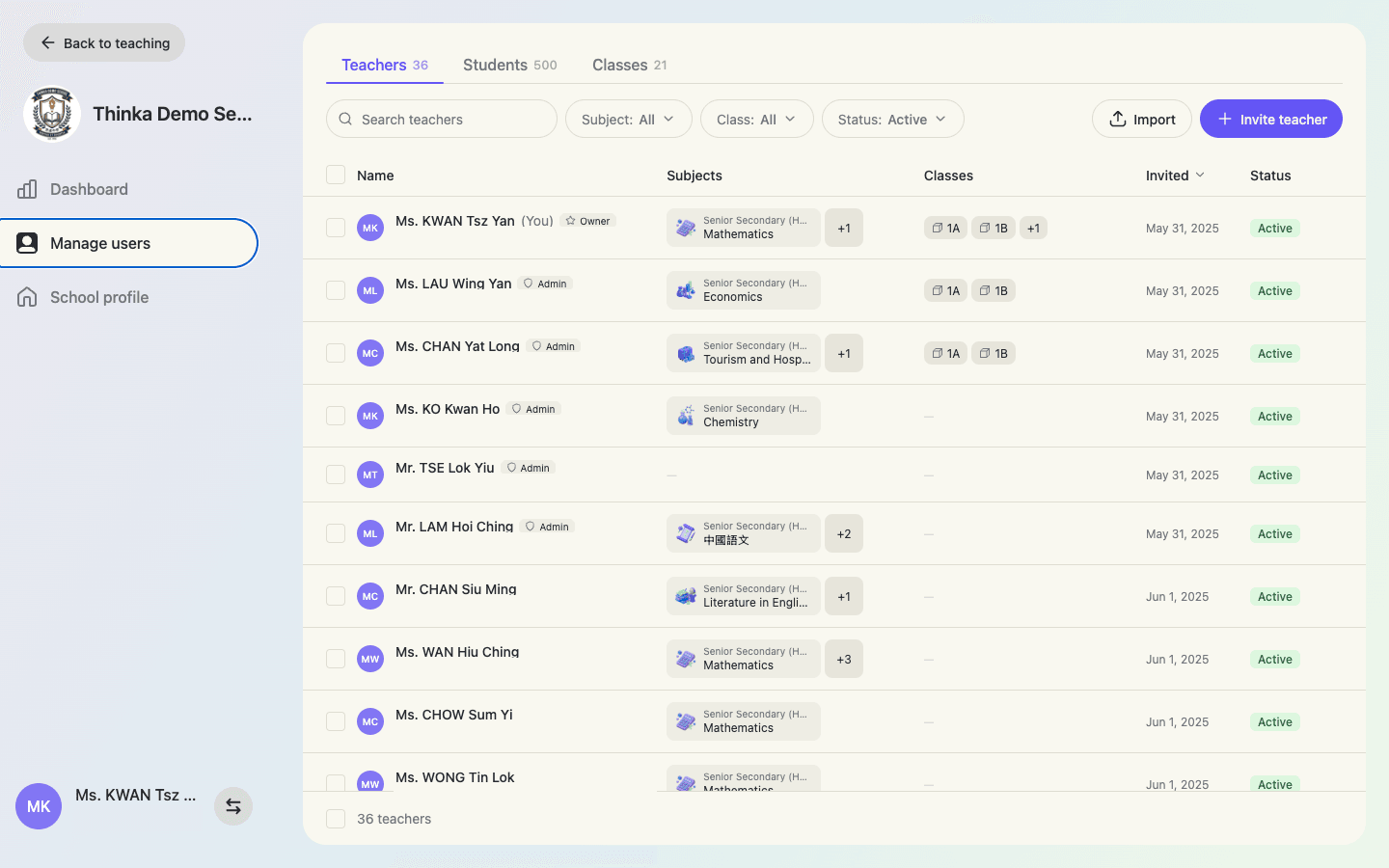
Upload your teacher and student lists in any format: CSV, Excel, PDF, even a photo of a printed list. AI reads the file and builds the accounts, with subjects, classes and roll numbers assigned as you go. No IT project required.
- AI imports member lists from any file, no template needed
- Create accounts with ready-to-use passwords, no email confirmations
- Classes with rosters and student roll numbers
- Archive members to free up seats while keeping their records
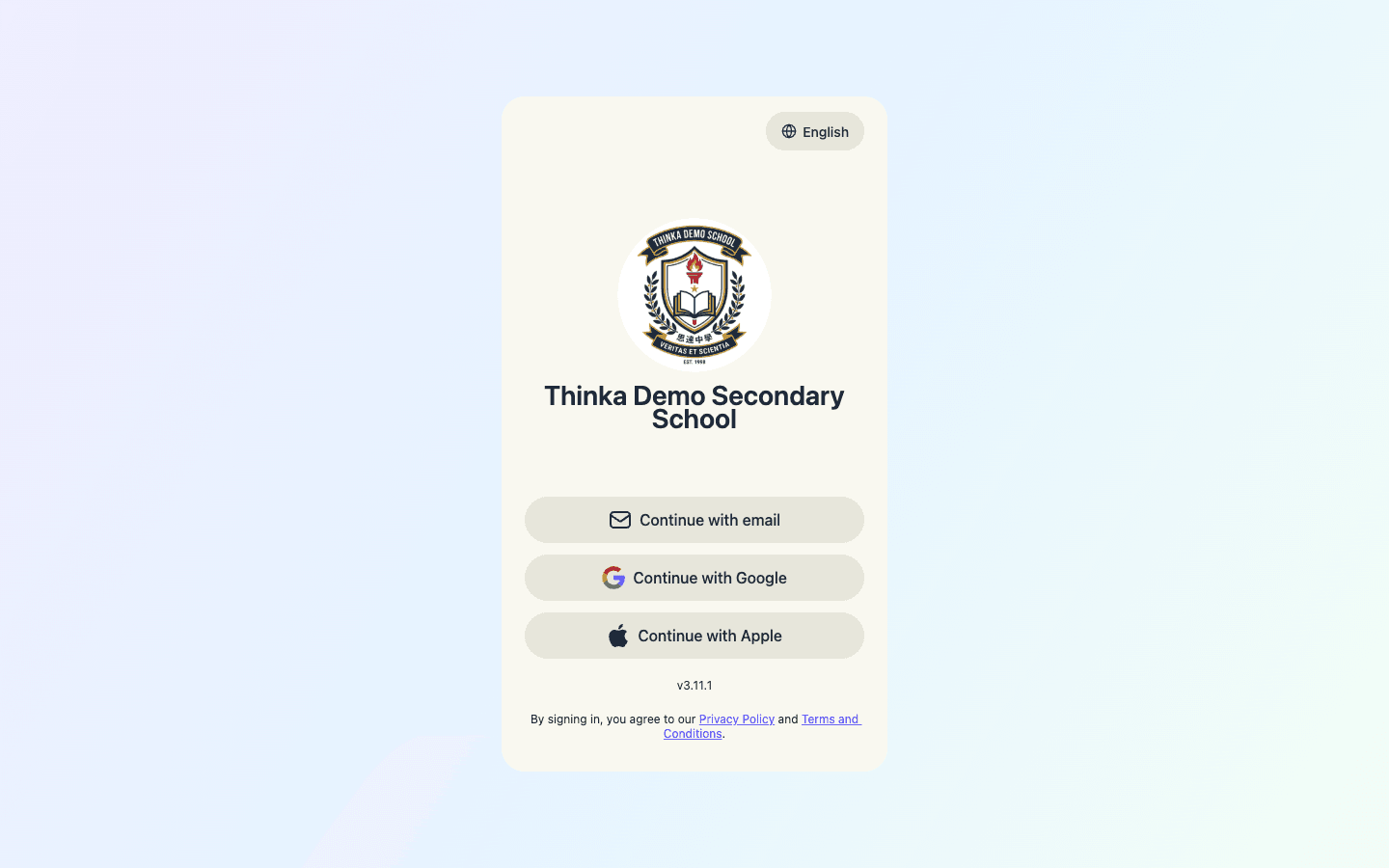
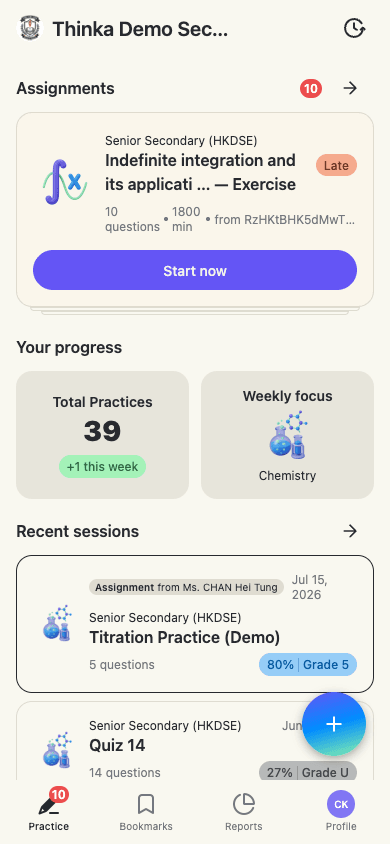
Your School's Name on the Door, and on Every Phone
Get your own custom domain, with your logo and school name on the sign-in page. Students add it to their home screen and it opens like your school's own app. Ideal for tuition centres building a brand.
- A dedicated web address for your school
- Your logo on sign-in, in the sidebar and as the app icon
- Members-only access on your school domain
- Installs on iOS and Android home screens in seconds
Tools Teachers Actually Use
Everything from question generation to marking, tuned to your curriculum.
Generate assignments with AI
Pick a subject and chapters, choose the difficulty, and get a ready-to-edit assignment in seconds. Or upload your own notes and generate from those.
Digitise existing papers
Upload a PDF, Word file or photo of a past paper and OCR turns it into an interactive, auto-marked assignment.
Auto-marking, even handwriting
Digital answers are marked on submission. Paper answers are marked from a photo or scan, handwriting included.
Print when you need paper
Any assignment prints as a clean worksheet, with a solutions copy for marking.
Step-by-step solutions
Every question comes with a worked explanation students can learn from, not just an answer key.
Reports and rankings
Class and student reports show trends, punctuality and per-subject grades, with AI insights written for you.
More Than a Subscription
We set your school up properly and stay involved after launch.
Guided setup
We import your lists, configure your school and have you running within days.
AI-in-education workshops
Hands-on training that shows teachers how to teach with AI, on site or online.
A named account manager
One person who knows your school and answers quickly.
Ongoing support
Help through every term, from new-teacher onboarding to reporting season.
Up and Running in Three Steps
Most schools go from first call to first assignment inside two weeks.
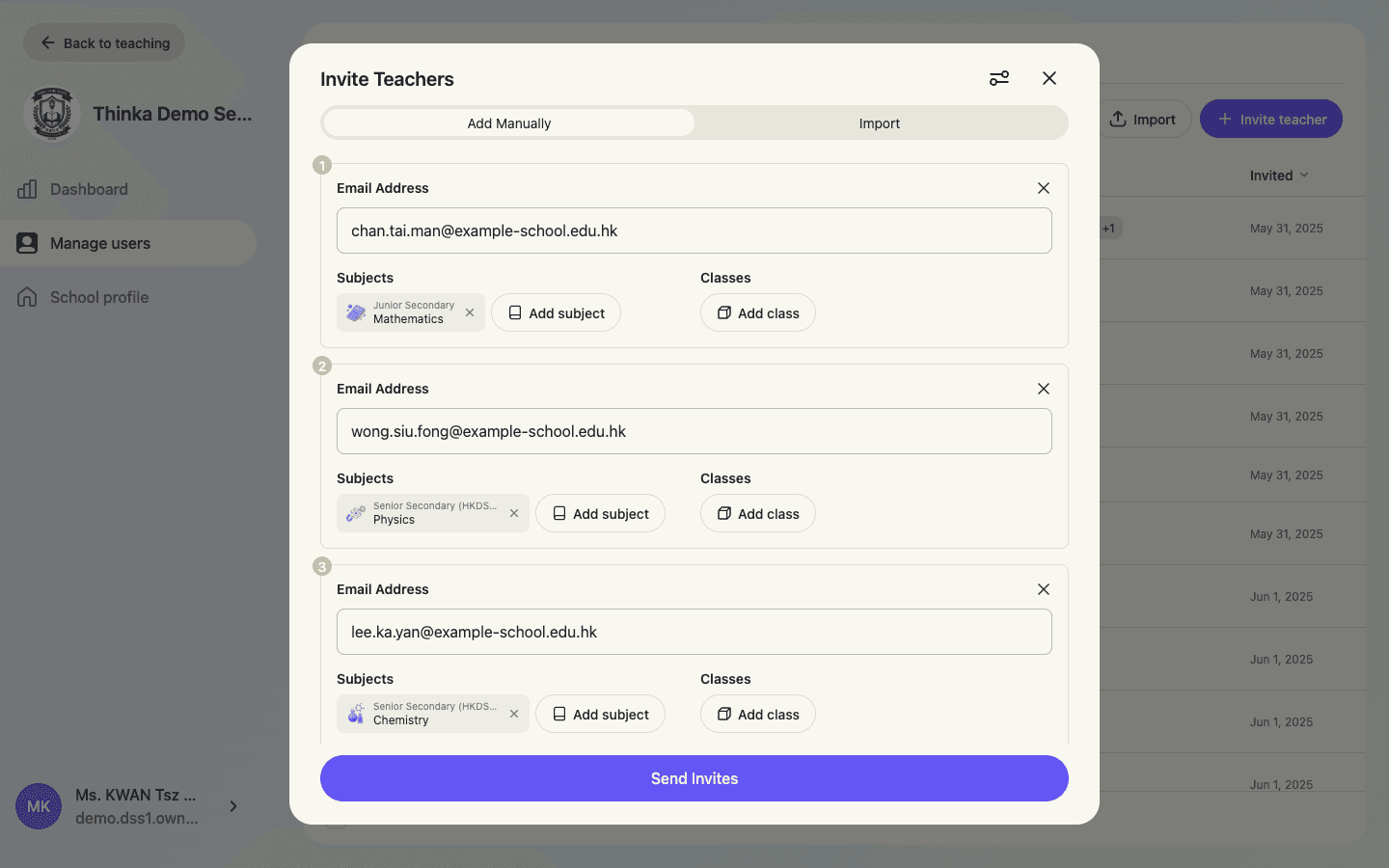
Book a demo, then we set you up
See the platform with your own curriculum, then we import your teachers, students and classes for you.
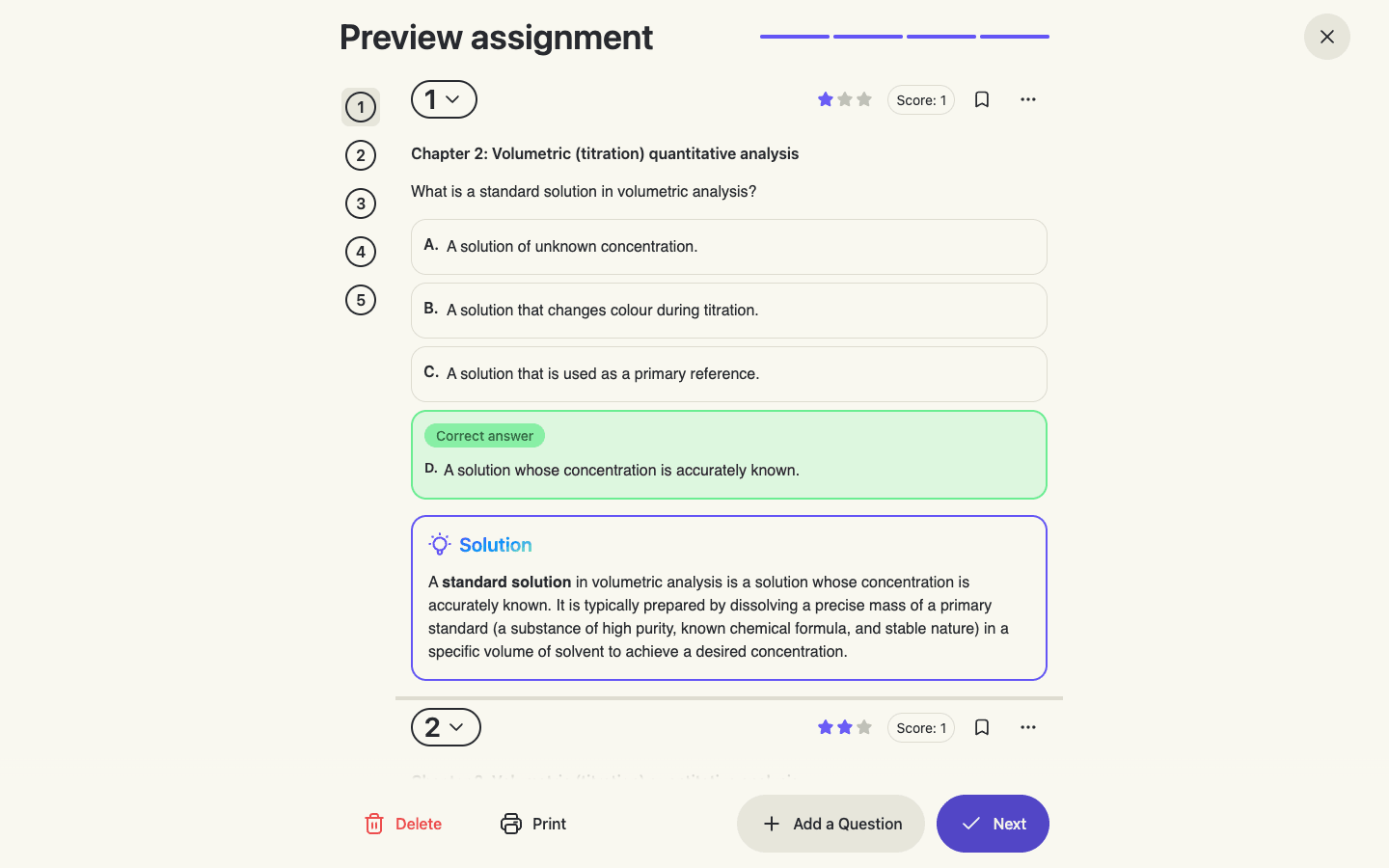
Teachers create and assign
First assignments generated from your curriculum in minutes, with training workshops if you want them.
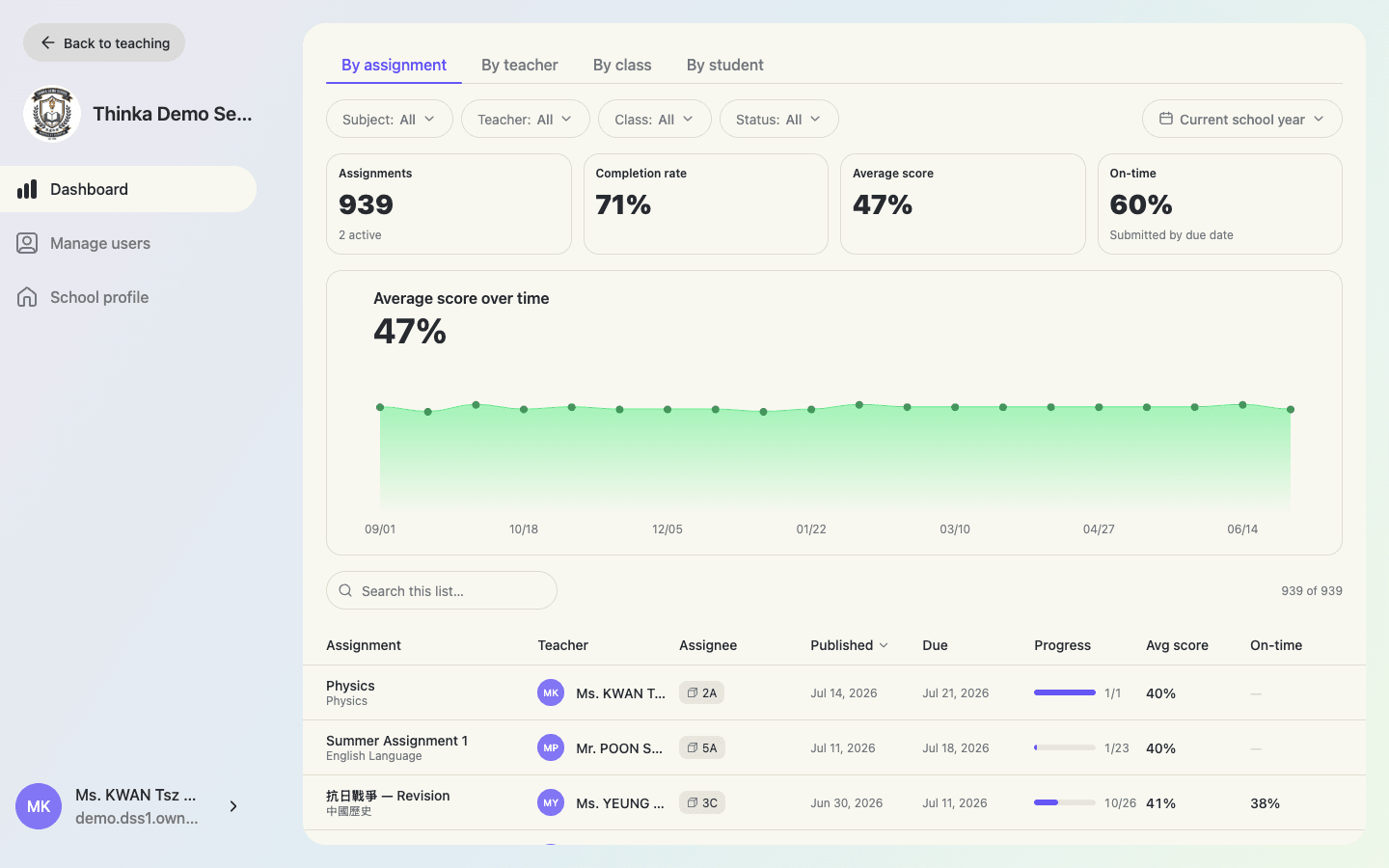
Watch progress roll in
Submissions mark themselves, reports fill in, and the school dashboard shows where to focus.
thinka in Real Hong Kong Classrooms
Every photo below was taken at a school we work with, during lessons and teacher training.
HKSKH Bishop Hall Secondary School
The curriculum head pulls up the auto-marking data and re-teaches the questions the class got wrong, in the same lesson.
Hong Kong Tang King Po College
The whole teaching staff attended a thinka AI workshop to work out how the platform fits their own subjects.
Answering live in class
Students answer on tablets during the lesson. AI marks every response on the spot, so the teacher knows where the class stands before the bell.
HK01 education feature
HK01's education section covered how thinka turns AI into a thinking tool that students use before, during and after class.
Caritas Chong Yuet Ming Secondary School
thinka has run e-learning sessions since 2017. Here, students and teachers are getting ready for HKDSE Mathematics.
TWGHs youth start-up scheme
In 2017 thinka received a grant from a Tung Wah Group of Hospitals youth entrepreneurship programme, funded by the Youth Development Fund's matching scheme.
Frequently Asked Questions
What school leaders and centre owners usually ask us.
Last updated July 2026
How does school pricing work?
Schools license seats for teachers and students, and every member gets full premium access while they work in the school workspace. Pricing scales with school size and is typically billed annually. Contact us for a tailored quote.
How long does setup take?
Most schools are set up within days. Send us your teacher and student lists in any format and AI builds the accounts. You can also create accounts with passwords yourself, so students sign in without email confirmations.
Do teachers need training to use it?
The console is built to feel familiar, and most teachers create their first assignment in minutes. We also run onboarding sessions and AI-in-education workshops, so confidence spreads beyond the tech-savvy few.
What devices does it work on?
Everything runs in the browser on school computers, tablets and phones. Your school's site can be added to a phone's home screen so it opens like an app, with your logo as the icon.
Which curricula and subjects are covered?
thinka supports GCE O-Level, GCE A-Level and H1–H3 subjects alongside international curricula such as IGCSE and IB. Your school chooses the curricula it teaches, so pickers stay tidy for teachers and students.
Who can see our students' data?
Your school's workspace is separate from personal accounts, and only your own teachers and admins see your students' work. Sign-in on your school domain is restricted to members you have added. Archiving keeps records for reporting instead of deleting them.
We run a tuition centre, not a school. Does thinka fit?
Yes. Tuition centres get the same console with their own logo and web address, organise students by class, and track every student's progress in one place. Seat-based pricing works from a few dozen students to thousands.
65%
of students improved their accuracy
≈1 grade
median accuracy gain, a grade boundary in many subjects
29,000 hrs
of teacher time saved through AI drafting and marking
Bring thinka to Your School
Book a demo and see the platform with your own curriculum. We'll follow up with a tailored quote for your school.
User Manual